 Spiel+
Explore Spiel+ on desktop
Organize your community, talk with friends and tailor the app to how you like to chat.
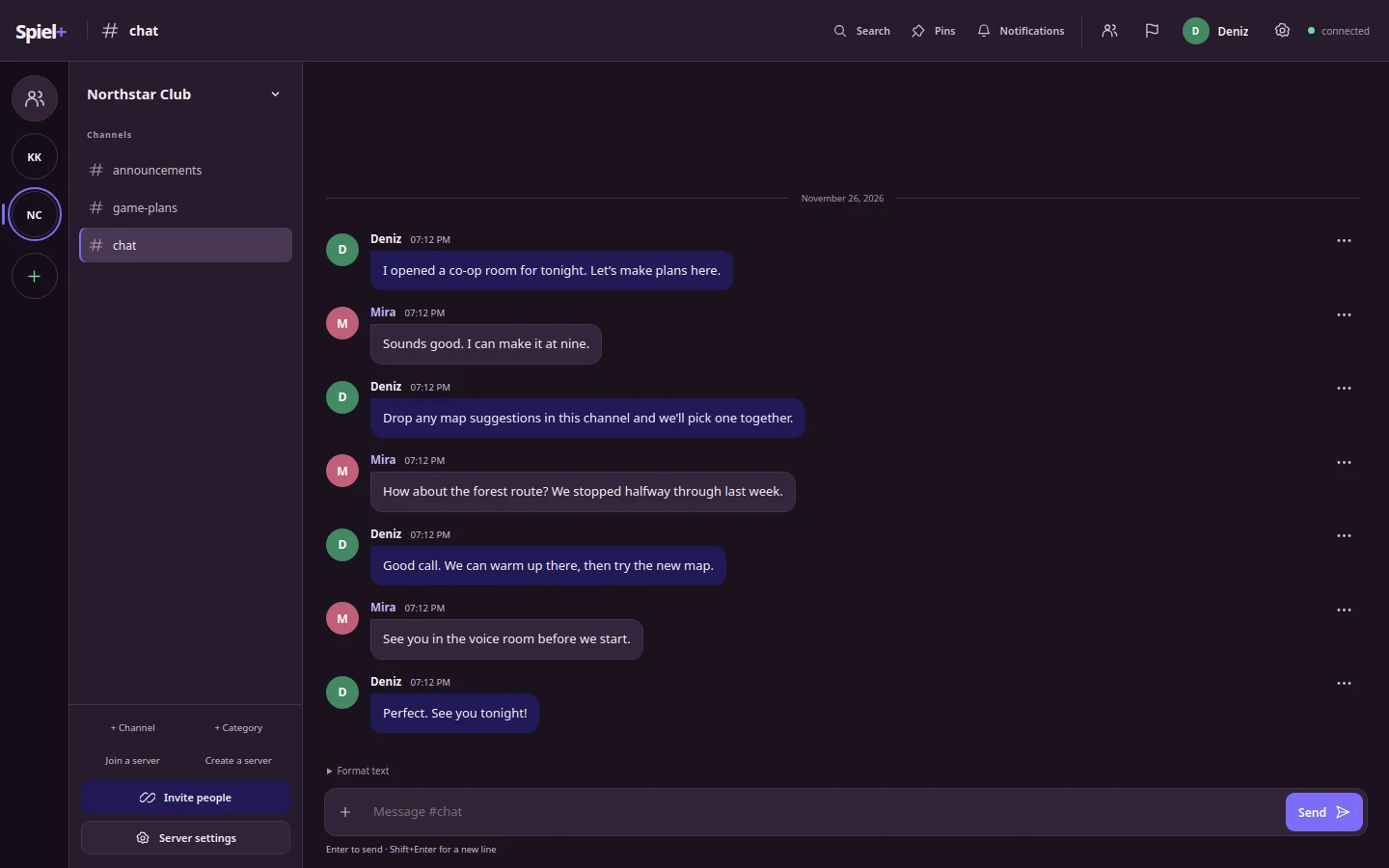
Give each conversation a channel
Keep announcements in one channel and game plans in another. Invite your friends, meet in a voice channel or keep the conversation going in chat.
- Create channels and categories to keep conversation topics together.
- Set channel access and manage permissions with roles.
- Add custom community emoji, meet in a voice channel or share your screen.
Verify devices in direct messages
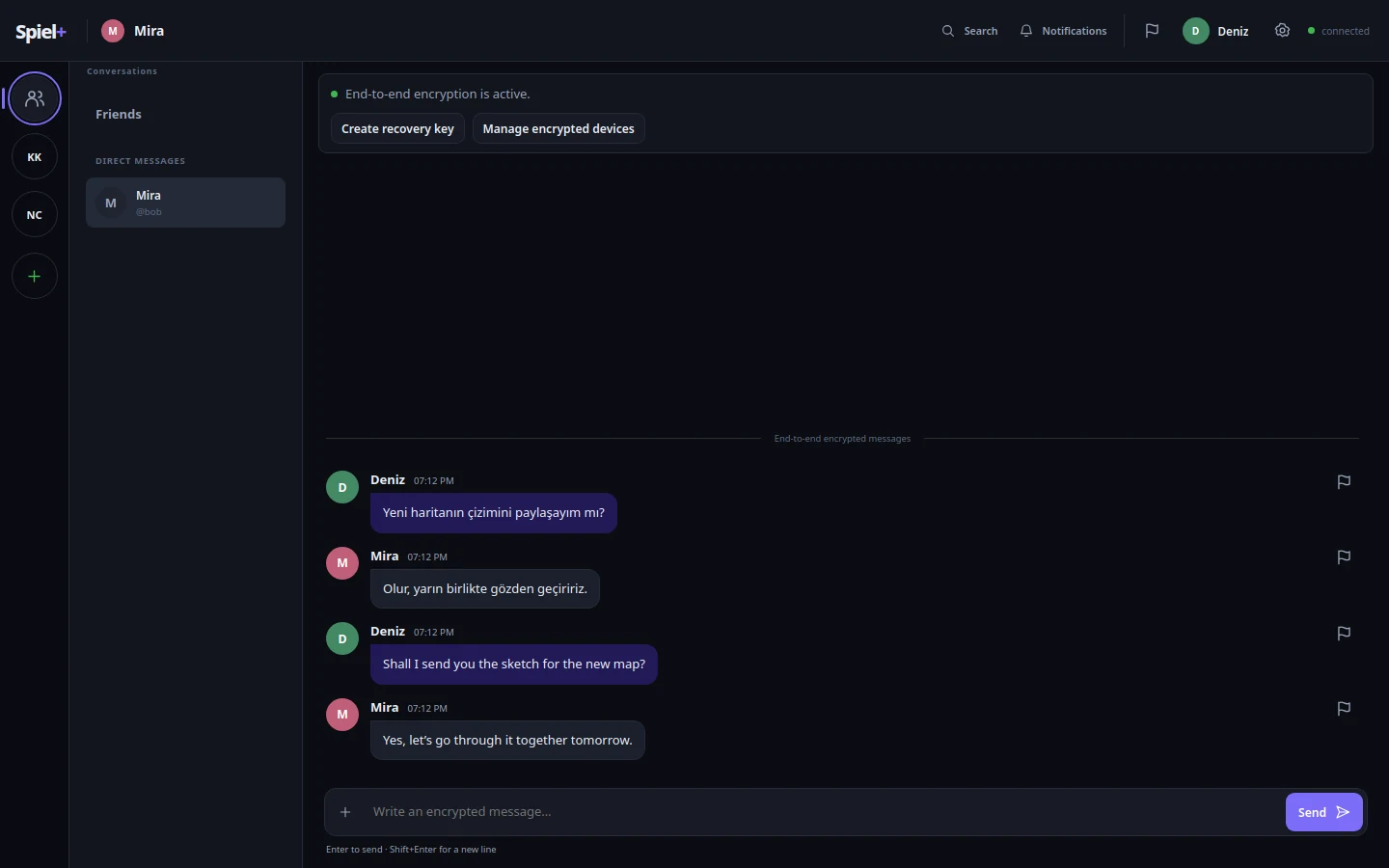
Compare the code on your screen with your contact. Once you both confirm it, new DMs are end-to-end encrypted. You can share photos and videos in the encrypted conversation.
- Both participants confirm the code once it matches on their devices.
- Messages sent before verification appear in a separate part of the history.
- A recovery key can restore backed-up encrypted history on a new device.
Make the chat feel like yours
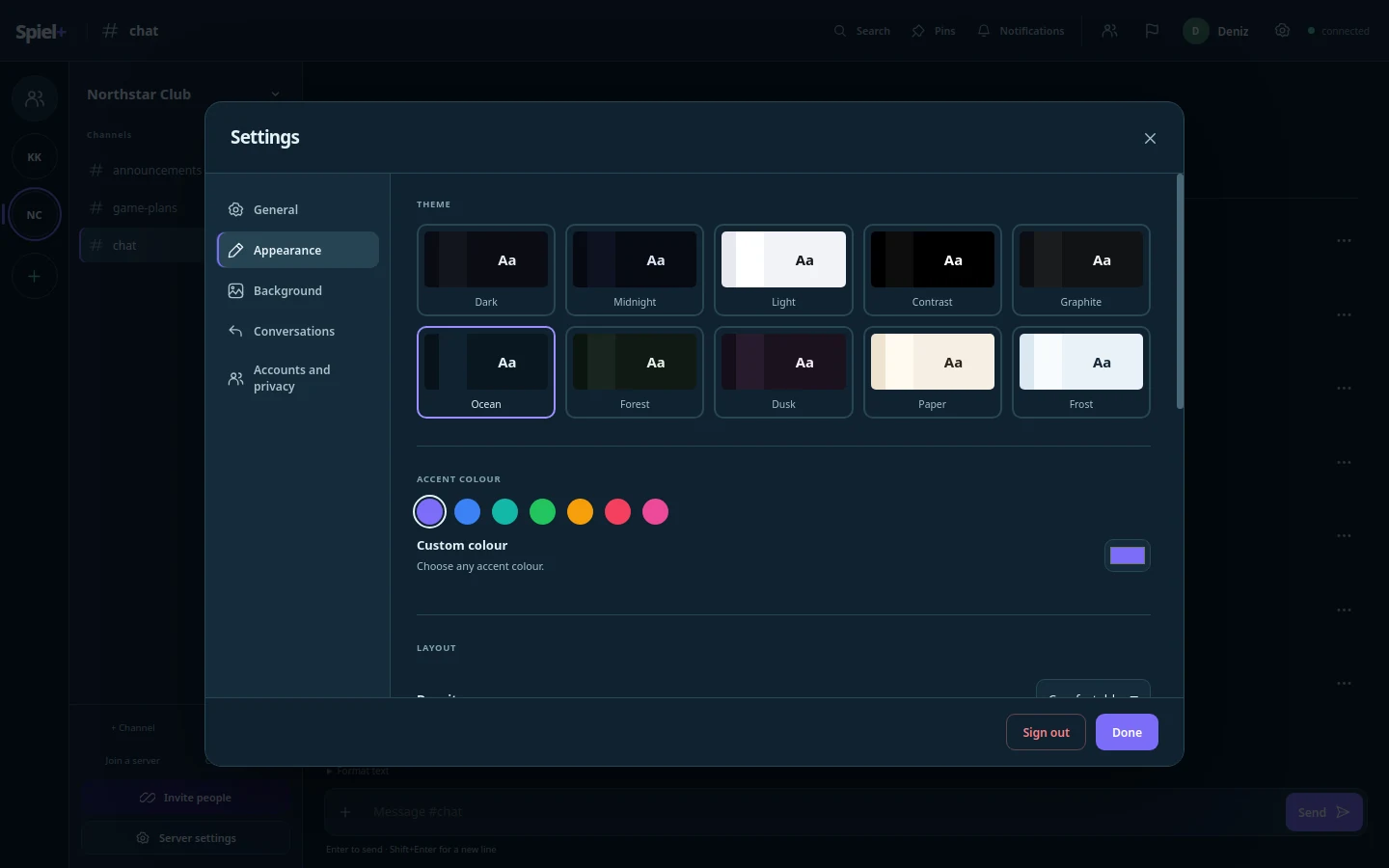
Pick one of ten themes and change the accent, background or text size. Settings categories sit on the left with their controls on the right.
- Adjust message spacing, corner shapes and text size.
- Choose an accent, add a wallpaper or export an appearance preset.
- Switch between Turkish and English in Settings or on the sign-in screen.
About the beta
Where do I use my invitation?
Enter the code from your invitation on the private beta page. Available packages appear after you sign in.
How do I know a DM is encrypted?
Look for the active end-to-end encryption status at the top of the conversation. Before both people verify, the app shows that the server can read messages.
What if I lose a device?
Manage your encrypted devices from another verified installation and revoke the lost one. Use your recovery key on a new device to restore backed-up history.
Have an invitation? Join the beta.
Enter your invitation code to see the available desktop packages.